You can have great content and strong backlinks, but if your website has technical issues, it will struggle to rank.
Technical SEO ensures that search engines can properly crawl, index, and understand your website.
This technical SEO checklist will help you fix critical issues and build a strong foundation for higher rankings and better performance.
What Is Technical SEO
Technical SEO focuses on optimizing the backend and structure of your website to improve search engine visibility.
It includes:
- Website speed
- Mobile usability
- Indexing
- Site structure
- Security
Without proper technical SEO, your website cannot perform at its full potential.
Why Technical SEO Is Important
Technical SEO directly impacts:
- Search rankings
- User experience
- Website performance
- Crawlability
Fixing technical issues can significantly improve your organic traffic.
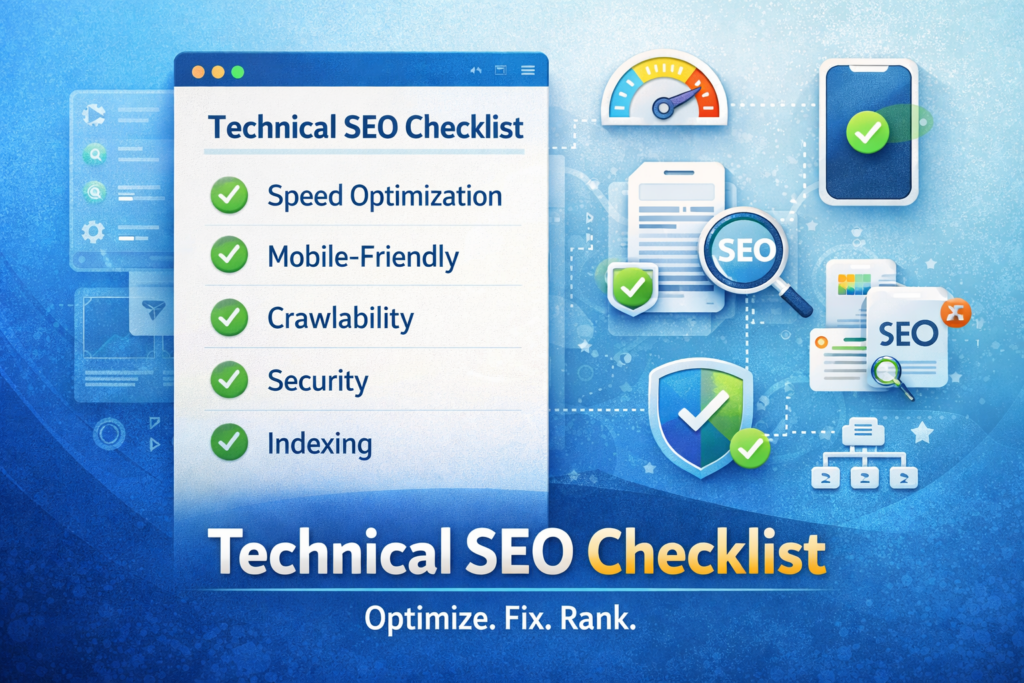
Complete Technical SEO Checklist
1. Website Speed Optimization
Page speed is a major ranking factor.
Checklist:
- Optimize images (WebP format)
- Enable browser caching
- Minify CSS, JS, and HTML
- Use a CDN
- Choose fast hosting
2. Mobile-Friendliness
Google uses mobile-first indexing.
Checklist:
- Responsive design
- Mobile-friendly layout
- Fast mobile loading speed
- Clickable buttons
3. HTTPS Security
Security builds trust and improves rankings.
Checklist:
- Install SSL certificate
- Redirect HTTP to HTTPS
- Fix mixed content issues
4. Crawlability and Indexing
Search engines must be able to access your pages.
Checklist:
- Create XML sitemap
- Submit sitemap to Google Search Console
- Optimize robots.txt
- Fix crawl errors
5. URL Structure
Clean URLs improve SEO and user experience.
Checklist:
- Use short, descriptive URLs
- Include keywords
- Avoid unnecessary parameters
6. On-Page Technical Elements
Optimize key page elements.
Checklist:
- Title tags optimized
- Meta descriptions included
- Proper heading structure (H1, H2, H3)
- Alt text for images
7. Internal Linking
Internal links improve crawlability and SEO structure.
Checklist:
- Link related pages
- Use descriptive anchor text
- Avoid broken links
8. Fix Broken Links
Broken links harm user experience and SEO.
Checklist:
- Identify 404 errors
- Redirect broken URLs
- Update internal links
9. Core Web Vitals
Google measures user experience through Core Web Vitals.
Checklist:
- Largest Contentful Paint (LCP) optimized
- First Input Delay (FID) reduced
- Cumulative Layout Shift (CLS) minimized
10. Structured Data (Schema Markup)
Schema helps search engines understand your content.
Checklist:
- Add FAQ schema
- Add service schema
- Add organization schema
11. Duplicate Content Fix
Duplicate content can confuse search engines.
Checklist:
- Use canonical tags
- Avoid duplicate pages
- Optimize similar content
12. Redirect Management
Proper redirects maintain SEO value.
Checklist:
- Use 301 redirects for permanent changes
- Avoid redirect chains
- Fix redirect loops
13. Image Optimization
Images should be optimized for performance and SEO.
Checklist:
- Compress images
- Use alt text
- Use modern formats
14. JavaScript SEO
Ensure search engines can render your content.
Checklist:
- Avoid blocking JS
- Use server-side rendering when needed
- Test with Google tools
Step-by-Step Technical SEO Audit
Step 1: Run a Website Audit
Use tools to identify issues.
Step 2: Fix Critical Errors First
Focus on:
- Crawl errors
- Speed issues
- Mobile usability
Step 3: Optimize Structure
Improve:
- URLs
- Internal linking
- Navigation
Step 4: Implement Schema
Add structured data to key pages.
Step 5: Monitor Performance
Track improvements using analytics tools.
Common Technical SEO Mistakes
Avoid these:
- Slow website speed
- Poor mobile experience
- Missing sitemap
- Broken links
- No HTTPS
Fixing these can improve rankings quickly.
Example of Technical SEO Impact
A website fixed:
- Speed issues
- Crawl errors
- Mobile usability
Result:
- Faster loading pages
- Better rankings
- Increased organic traffic
Internal Linking
Link this article to:
- https://themvcagency.com/technical-seo/
- https://themvcagency.com/seo-services/
- https://themvcagency.com/website-speed-optimization-services-in-usa/
Conclusion
A strong technical SEO checklist ensures your website is optimized for both search engines and users.
By fixing technical issues and improving performance, you create a solid foundation for higher rankings and better conversions.
Technical SEO is not optional. It is essential for long-term success.
FAQ Section
What is technical SEO
It focuses on optimizing the technical aspects of a website to improve search rankings.
How often should I do a technical audit
At least once every few months or after major updates.
What is the most important technical factor
Website speed and mobile usability have the biggest impact.
Do small websites need technical SEO
Yes, every website needs a strong technical foundation.